How to File ITR-1 Online for Salaried Employees (AY 2026-27): The Step-by-Step E-Filing Master Guide
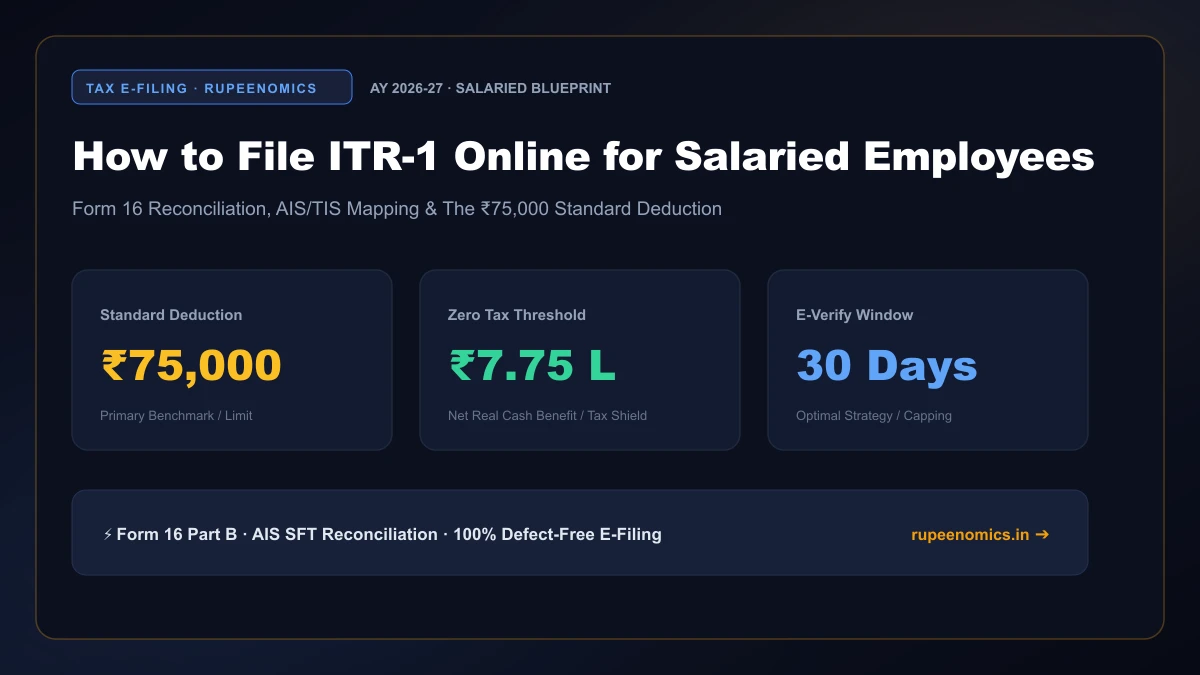
How to File ITR-1 Online for Salaried Employees (AY 2026-27): The Step-by-Step E-Filing Master Guide
For Indian salaried professionals, filing your Income Tax Return (ITR) is often treated as a frantic July ritual—scrambling for Form 16, guessing deductions, and praying the e-Filing portal doesn't crash. Yet, for an individual with salary income, one house property, and interest income, ITR-1 (Sahaj) is designed to take less than 25 minutes from login to e-verification.
However, the Income Tax Department's backend systems have become radically sophisticated. With real-time Annual Information Statement (AIS) telemetry, Taxpayer Information Summary (TIS) auto-population, and automated scrutiny notices under Section 143(1)(a), even a ₹5,000 discrepancy between your employer’s TDS return (Form 24Q) and your declared bank interest can trigger a defective return notice.
This exhaustive guide provides an authoritative, step-by-step blueprint for filing ITR-1 for Assessment Year (AY) 2026-27 (Financial Year 2025-26), fully updated with the revised New Tax Regime standard deduction of ₹75,000, Section 87A rebate rules, AIS/TIS reconciliation protocols, and post-filing e-verification.
1. Eligibility Architecture: Who Can & Cannot File ITR-1 (Sahaj)?
ITR-1 is a simplified single-page return designed exclusively for resident individuals with straightforward, predictable income streams. Before opening the portal, you must verify your statutory eligibility. Filing ITR-1 when you are legally required to file ITR-2 invalidates your return under Section 139(9).
               [Salaried Individual Income Assessment]
                                │
          ┌─────────────────────┴─────────────────────┐
          ▼                                           ▼
[Resident Individual?]                     [Non-Resident (NRI) or RNOR?]
          │                                           │
         YES                                         YES ➔ Must file ITR-2 / ITR-3
          │
          ▼
[Total Income ≤ ₹50 Lakhs?]
          │
         YES ────────────────── NO ─────────────────► Must file ITR-2
          │
          ▼
[Income Sources Check]
  ├─ Salary / Pension
  ├─ ONE House Property (Self-occupied or Let-out)
  ├─ Other Sources (Interest, Dividends, Family Pension)
  └─ Agricultural Income ≤ ₹5,000
          │
         YES
          │
          ▼
[Disqualification Triggers Check]
  ├─ Capital Gains from Stocks, MFs, or Real Estate?
  ├─ Directorship in an Unlisted Company?
  ├─ Holding Unlisted Equity Shares?
  ├─ Foreign Assets or Foreign Income?
  └─ Crypto / Virtual Digital Asset (VDA) Gains?
          │
          ├── ANY YES ──────────────────────────────► Disqualified: File ITR-2 or ITR-3
          │
          └── ALL NO
                  │
                  ▼
          [ELIGIBLE FOR ITR-1 (SAHAJ)]
Statutory Comparison: ITR-1 vs. ITR-2 Eligibility
| Parameter | ITR-1 (Sahaj) | ITR-2 |
|---|---|---|
| Residential Status | Resident and Ordinarily Resident (ROR) only | ROR, RNOR, and Non-Resident Indian (NRI) |
| Total Income Ceiling | Strict ceiling of ₹50,00,000 | No ceiling (Can exceed ₹50 Lakhs) |
| Number of House Properties | Exactly 1 House Property | Multiple House Properties permitted |
| Capital Gains (LTCG / STCG) | Strictly prohibited (0 equity or debt gains) | Permitted (Shares, Mutual Funds, Gold, Real Estate) |
| Business / Professional Income | Strictly prohibited | Prohibited (Must use ITR-3 or ITR-4) |
| Foreign Assets / Foreign Bank A/c | Strictly prohibited | Permitted & Mandatory to declare in Schedule FA |
| Unlisted Equity Shares Held | Prohibited | Permitted |
| Agricultural Income | Allowed up to ₹5,000 only | Can exceed ₹5,000 |
Critical Rule: If you sold even a single share of an Indian company or redeemed mutual fund units during FY 2025-26—generating long-term or short-term capital gains—you cannot file ITR-1. You must file ITR-2.
2. Pre-Filing Preflight: The 6 Documents You Must Reconcile
Never start filing directly from Form 16 without cross-verifying the Income Tax Department's internal repository. The department checks your return against data fed by banks, mutual fund RTAs, and employers.
Document Reconciliation Checklist
- Form 16 (Part A & Part B): Issued by your employer by June 15. Part A contains TRACES-certified TDS deductions (Tax Deducted at Source). Part B breaks down gross salary, perquisites, Section 10 exemptions (HRA, LTA), and Chapter VI-A deductions.
- Annual Information Statement (AIS) & Taxpayer Information Summary (TIS): Downloadable directly from the e-Filing portal. Captures all financial transactions reported under Statement of Financial Transactions (SFT) by banks, registrars, and depositories.
- Form 26AS: The consolidated tax credit statement showing TDS deducted by employers, banks (on FD interest), and advance tax paid.
- Consolidated Bank Account Statements: April 1 to March 31 interest certificates for all active savings accounts and fixed deposits.
- Deduction Proofs (For Old Tax Regime): ELSS fund statements, life insurance premium receipts, Section 80D health insurance receipts, and home loan interest certificates issued under Section 24(b).
- Active Aadhaar-Linked Mobile Number: Mandatory for receiving the 6-digit Aadhaar OTP required to e-verify your return instantly.
3. Reconciliation Masterclass: Resolving Form 16 vs. AIS Discrepancies
Enjoyed this post?
Get our weekly digest delivered free.
The most common reason salaried taxpayers receive scrutiny notices under Section 143(1)(a) is unreported interest income.
[Employer Form 16]          [Bank SFT Reporting]         [Mutual Fund RTA]
        │                            │                            │
   Gross Salary               Savings/FD Interest             Dividends
   TDS Deducted                   TDS (194A)                  TDS (194K)
        │                            │                            │
        └────────────────────┬───────┴────────────────────────────┘
                             │
                             ▼
              [Annual Information Statement (AIS)]
                             │
                             ▼
              [Taxpayer Information Summary (TIS)]
                             │
            Does TIS Match Your ITR-1 Schedule OS?
                             │
             ├────── YES ───► Proceed to Submit
             │
             └────── NO ────► High Risk: Automated Defective Return Notice
How to Fix Mismatches in AIS:
- Case 1: Multiple Bank Accounts: You may hold a dormant savings account in another bank that credited ₹4,200 in interest. Your employer did not know this, so it is absent from Form 16. However, the bank reported it under SFT-005. Action: You must add this under Income from Other Sources in ITR-1.
- Case 2: Duplicate Reporting in AIS: Occasionally, a single high-value FD interest credit is reported twice by the bank branches. Action: Click on the AIS line item → Select Feedback → Choose Information is duplicate / included in other information. The system updates your TIS values accordingly.
4. Step-by-Step E-Filing Walkthrough for ITR-1 (AY 2026-27)
Phase 1: Authentication & Form Initialization
- Navigate to the official portal:
eportal.incometax.gov.in. - Click Login → Enter your PAN as User ID → Enter your secure password → Complete Captcha / OTP.
- From the top navigation bar, select: e-File > Income Tax Returns > File Income Tax Return.
- Select Assessment Year: AY 2026-27 (Current Assessment Year).
- Select Mode of Filing: Online (Recommended).
- Filing Status: Select Individual → Choose ITR-1.
Phase 2: Schedule-by-Schedule Data Validation
The online ITR-1 form is split into 5 sequential schedules. Each schedule must be validated and confirmed.
Schedule 1: Personal Information
- Verify your Name, PAN, Aadhaar number, Date of Birth, and mobile contact.
- Filing Section: Select 139(1) - On or before due date (if filing prior to July 31).
- Tax Regime Selection: Under FY 2025-26 rules, the New Tax Regime under Section 115BAC is the default regime.
- If you wish to opt for the Old Tax Regime, you must select “Yes, opting out of default regime”. Salaried employees can switch between old and new regimes year-on-year directly in the ITR-1 form without filing Form 10-IEA.
Schedule 2: Gross Total Income (GTI)
This is the operational core of your return. It combines three income streams:
Part A: Income from Salary
- Gross Salary (Section 17(1)): Auto-populated from your employer's Form 24Q. Reconcile this figure against Box 1(a) of Form 16 Part B.
- Value of Perquisites (Section 17(2)): Company cars, rent-free accommodation, or stock options (ESOPs).
- Profits in lieu of Salary (Section 17(3)): Severance pay or joining bonuses.
- Less: Exempt Allowances under Section 10:
- Under Old Regime: HRA (Section 10(13A)), LTA (Section 10(5)), Children Education Allowance.
- Under New Regime: Most Section 10 exemptions are eliminated, except conveyance allowance for official duties, transport allowance for differently-abled employees, and daily travel per diems.
- Deductions under Section 16:
- Standard Deduction: ₹75,000 under the New Tax Regime (enhanced from ₹50,000) or ₹50,000 under the Old Tax Regime.
- Professional Tax (Section 16(iii)): Up to ₹2,500 paid to state governments (allowable under Old Regime).
[Gross Salary: ₹15,00,000]
     │
     ├── Less: Section 10 Exemptions (HRA/LTA - Old Regime Only)
     │
     ├── Less: Standard Deduction (Section 16(ia))
     │         ├─ New Tax Regime: -₹75,000
     │         └─ Old Tax Regime: -₹50,000
     │
     ├── Less: Professional Tax (Section 16(iii)) [Max ₹2,500]
     │
     ▼
[Net Taxable Salary]
Part B: Income from One House Property
- Self-Occupied Property: If you are paying home loan interest on your primary residence:
- Old Regime: Enter interest paid under Section 24(b) (Negative value up to -₹2,00,000).
- New Regime: Zero deduction allowed for self-occupied home loan interest. Setting off house property loss against salary is prohibited.
- Let-Out Property: Enter annual rent received. Deduct Municipal Taxes paid. The portal automatically calculates the statutory 30% standard deduction under Section 24(a) plus actual home loan interest paid under Section 24(b).
Part C: Income from Other Sources
- Savings Bank Interest: Auto-fetched from TIS.
- Fixed Deposit / Recurring Deposit Interest: Auto-fetched from Form 26AS / TIS.
- Dividend Income: Enter quarterly dividend breakdowns for interest calculation under Section 234C.
- Family Pension: Standard deduction of ₹25,000 (New Regime) or ₹15,000 (Old Regime).
Schedule 3: Total Deductions (Chapter VI-A)
Note: If you have selected the default New Tax Regime, this entire schedule is disabled, except for Section 80CCD(2) (Employer contribution to Corporate NPS).
If filing under the Old Tax Regime, populate your eligible deductions:
- Section 80C (Max ₹1,50,000): EPF, PPF, ELSS mutual funds, Life Insurance Premiums, Principal repayment on Home Loan, Children Tuition Fees, Sukanya Samriddhi Yojana (SSY).
- Section 80D: Mediclaim premiums for self and family (₹25,000) + Senior citizen parents (₹50,000) + Preventive health checkup (₹5,000 sub-limit).
- Section 80CCD(1B): Additional voluntary NPS investment up to ₹50,000.
- Section 80CCD(2): Employer's contribution to NPS (Up to 10% of Basic + DA for private sector, 14% for government). Allowed under both Old and New Tax Regimes!
- Section 80TTA: Savings account interest deduction up to ₹10,000 (Non-seniors, Old Regime only).
- Section 80TTB: Total interest deduction up to ₹50,000 (Senior citizens, Old Regime only).
Schedule 4: Tax Computation & Tax Paid
The engine calculates your gross tax liability based on applicable statutory tax slabs:
New Tax Regime Slabs vs. Old Tax Regime Slabs (AY 2026-27)
| Income Slabs (New Regime) | Rate | Income Slabs (Old Regime) | Rate |
|---|---|---|---|
| ₹0 to ₹3,00,000 | Nil | ₹0 to ₹2,50,000 | Nil |
| ₹3,00,001 to ₹7,00,000 | 5% | ₹2,50,001 to ₹5,00,000 | 5% |
| ₹7,00,001 to ₹10,00,000 | 10% | ₹5,00,001 to ₹10,00,000 | 20% |
| ₹10,00,001 to ₹12,00,000 | 15% | Above ₹10,00,000 | 30% |
| ₹12,00,001 to ₹15,00,000 | 20% | — | — |
| Above ₹15,00,000 | 30% | — | — |
- Section 87A Rebate:
- New Regime: Zero tax for taxable income up to ₹7,00,000 (Full rebate up to ₹25,000). Combined with the ₹75,000 standard deduction, a salaried individual earning up to ₹7,75,000 pays zero tax.
- Old Regime: Full rebate up to ₹12,500 for taxable income up to ₹5,00,000.
- Health & Education Cess: 4% levied on total income tax.
- Taxes Paid: The portal compares your Total Tax Payable against:
- Total TDS reported in Schedule TDS (1) (Salary) and TDS (2) (Other than salary).
- Advance Tax / Self-Assessment Tax (Challan 280) paid.
Schedule 5: Total Tax Liability & Refund Determination
The summary screen will present one of two outcomes:
- Amount Payable: If your bank interest or undeclared income generated additional tax liability, or if there is interest levied under Section 234A (late filing), 234B (shortfall in advance tax), or 234C (deferment of advance tax).
- You must click Pay Now, complete payment via NetBanking/UPI on the e-Pay Tax portal, generate the BSR code and Challan CIN, and update the Self-Assessment tax schedule before final submission.
- Refund Due: If employer TDS exceeded your final tax liability (common when you declare deductions late or receive lower perquisites). Verify that the target bank account is marked as Validated and Nominated for Refund.
5. Critical Phase: E-Verification Protocols
Filing an ITR without e-verifying it within 30 days renders the return defective and void ab initio under Section 139(9). You will be treated as if you never filed your return, attracting late filing fees of up to ₹5,000 under Section 234F.
       [Submit ITR-1 Online]
                 │
                 ▼
     [Choose E-Verification Method]
                 │
   ┌─────────────┼─────────────┬─────────────┐
   ▼             ▼             ▼             ▼
[Aadhaar OTP] [NetBanking] [Bank EVC]  [Physical ITR-V]
   │             │             │             │
Instant (30s)  Fast (2m)    Fast (2m)  Slow (15 Days)
   │             │             │             │
   └─────────────┴──────┬──────┴─────────────┘
                        │
                        ▼
       [ITR Successfully E-Verified]
                        │
                        ▼
       [CPC Bengaluru Processing (143(1))]
                        │
                        ▼
             [Refund Credited to Bank]
The 4 E-Verification Methods:
- Aadhaar OTP (Fastest & Recommended): Select “I would like to verify using Aadhaar OTP” → Enter the 6-digit OTP sent to your Aadhaar-registered mobile number → Click Submit.
- Net Banking: Login to your net banking portal (HDFC, ICICI, SBI, Axis) → Navigate to e-Filing Login → Routed to Income Tax portal authenticated.
- Electronic Verification Code (EVC): Generated via Pre-validated Bank Account or Demat Account.
- Physical ITR-V (Last Resort): Print the single-page ITR-V acknowledgement, sign in blue ink, and speed post it within 30 days to:
Centralized Processing Center, Income Tax Department, Bengaluru - 560500, Karnataka.
6. Post-Filing Surveillance: Tracking Status & Refund Credit
Once e-verified, your filing journey is not complete until CPC Bengaluru processes the return under Section 143(1).
Timeline & Lifecycle Stages
- Return Submitted & Verified: Confirmation SMS and Form ITR-V sent to your registered email.
- Under Processing at CPC: Automated risk engines scan data points against banking SFTs.
- Processed under Section 143(1): You receive an Intimation Notice u/s 143(1) on email.
- If values in Column A (as computed by taxpayer) match Column B (as computed by department), the return is processed smoothly.
- If there is a mismatch, the notice specifies the differential demand or corrected refund amount.
- Refund Credited: Managed via the SBI Refund Banker portal directly into your validated bank account via NECS/RTGS.
7. Common ITR-1 Filing Traps to Avoid
- ❌ Ignoring Savings Account Interest: Believing savings account interest below ₹10,000 is tax-free under the New Tax Regime. Truth: Section 80TTA is unavailable under the New Tax Regime. Every rupee of savings interest is taxable at your slab rate.
- ❌ Not Declaring Multiple Form 16s: If you switched employers mid-year, both employers granted you standard deduction and basic exemption limits, resulting in massive TDS under-deduction. You must consolidate both Form 16s into ITR-1; otherwise, CPC will issue a demand notice.
- ❌ Omitting Exempt Income: Forgetting to declare tax-free PPF interest, Sukanya Samriddhi interest, or agricultural income in Schedule EI (Exempt Income).
- ❌ Unvalidated Bank Account: If your bank account name does not match your PAN exact character-by-character, the automated refund dispatch fails.
8. Summary Checklist: The 15-Minute ITR-1 Filing Audit
Before clicking Final Submit, perform this definitive audit:
- Form 16 Part B Salary matches Schedule Salary Box 1(a).
- ₹75,000 Standard Deduction claimed under New Tax Regime (or ₹50,000 under Old).
- All savings and fixed deposit interest from AIS included in Schedule OS.
- Employer NPS contribution under Section 80CCD(2) claimed (if applicable).
- Zero capital gains transactions occurred during the financial year.
- Pre-validated bank account marked for refund credit.
- Return e-verified immediately using Aadhaar OTP.
Disclaimer: This educational guide is designed strictly for informational purposes based on the provisions of the Income-tax Act, 1961, and Finance Act 2024 (AY 2026-27). For specialized cross-border taxation, ESOP complex taxation, or legal disputes, consult a qualified Chartered Accountant (CA).
The insights, broker reviews, tax estimates, and financial data presented on RupeeNomics are strictly for educational and research purposes only. RupeeNomics and its authors are not SEBI-registered investment advisors or research analysts. Nothing published herein should be construed as personalized investment advice or a recommendation to buy or sell securities. Investments in the securities market are subject to market risks. Please conduct your own due diligence or consult a SEBI-registered financial planner before making investment decisions. Read our Editorial Policy.
Enjoyed this post?
Get our weekly digest delivered free.
Share this post:
RupeeNomics is reader-supported. We may earn a commission from links in this article at no extra cost to you. Read our disclosure.
Related Posts
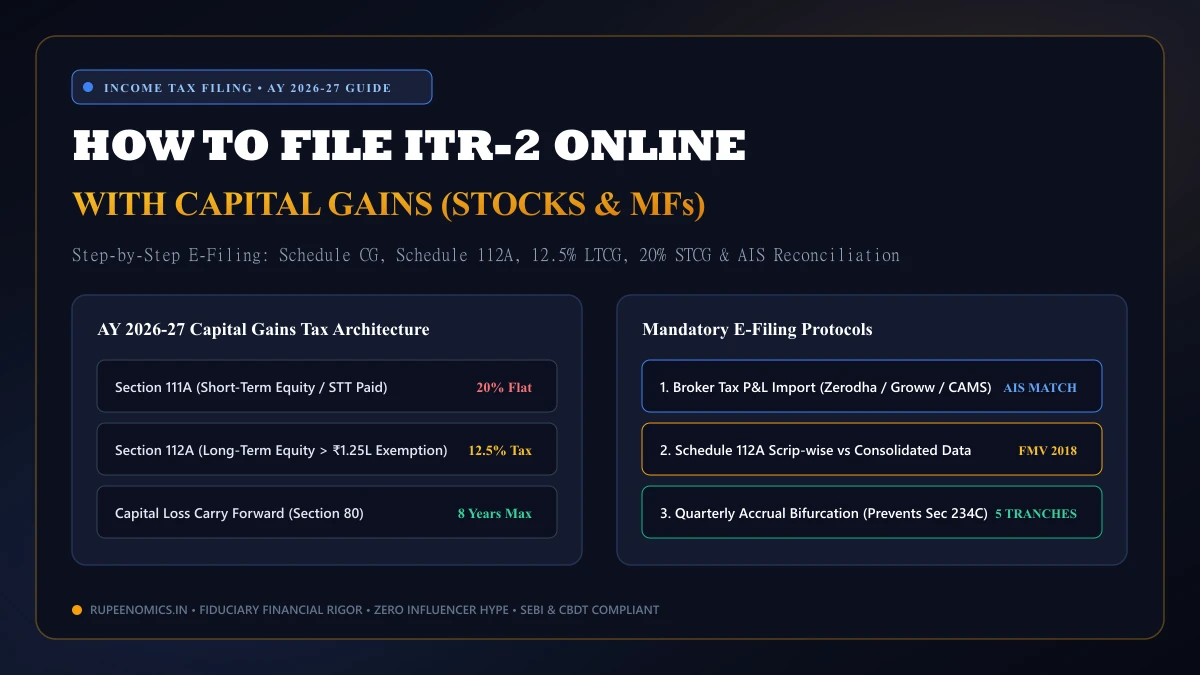
How to File ITR-2 Online with Capital Gains (AY 2026-27): Step-by-Step E-Filing Guide for Stock & Mutual Fund Investors
How to File ITR-2 Online with Capital Gains (AY 2026-27): Step-by-Step E-Filing Guide for Stock & Mutual Fund Investors Position-0 Quick Verdict: If you are a salaried individual who sold even a singl…
How to File ITR Online India 2026: Step-by-Step Guide for Salaried Employees
How to File ITR Online India 2026: Step-by-Step Guide for Salaried Employees Filing deadline: July 31, 2026 (AY 2026-27 for FY 2025-26) Most salaried employees with a single employer, no property inco…

Income Tax Filing in India (2026): Complete FAQ on ITR-1 vs ITR-2, AIS Verification, Deadlines & Defective Notices
Income Tax Filing in India (2026): Complete FAQ on ITR-1 vs ITR-2, AIS Verification, Deadlines & Defective Notices Quick Summary: Filing your Income Tax Return (ITR) in India requires selecting the…